
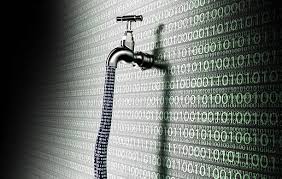
Your Data Just Got Leaked – Here’s What to Do Right Now
That sinking feeling hits hard. You just found out your personal data got exposed in another massive breach. Just recently, researchers found 16 billion login records sitting exposed online.
But here’s the thing – panicking won’t help. Taking action will. So, let me walk you through exactly what to do when hackers get their hands on your data.
First Things First – How Bad Is It?
Modern data breaches are no longer random incidents. They are part of large-scale criminal activities. Last year, the average cost of a breach for companies was $4. 88 million, which is a 10% increase from 2023. Here’s something surprising: about 20% of breaches happen because someone stole login information.
A recent big breach shows how serious the situation has become.
Researchers discovered 30 different sets of data containing login details for almost everything – like Apple, Google, Facebook, and even government websites. While most of this data was from older breaches, now it’s all collected in one place. This makes it much easier for criminals to take advantage of.
Your First 48 Hours Are the Most Important
Companies that catch breaches within 200 days save 23% on cleanup costs. The same goes for you – move fast, and you’ll limit the damage.
Hours 1-2: Lock Down Your Email
Your email is like the main hub for everything.
If hackers get into your email, they can access all your other accounts too. Log in right away and change your password. If you can’t access your account, use the password recovery option immediately. If you’re still stuck, call your email provider using the number listed on their official website, not.
Hours 2-6: Check Your Money
Check in on all your bank accounts, credit cards, and investment apps.
Look for any unusual charges, even small ones. Hackers often try stolen cards with a $1 purchase first before trying bigger ones. Also, turn on alerts for every transaction and maybe reduce your daily spending limit for now.
Days 1-2: Start Playing Defense
It’s time to stop just reacting and start taking real steps to keep yourself safe. Enable two-factor authentication on all your accounts. I mean, every single one. A really scary fact is that almost 90% of cyberattacks use stolen passwords. Two-factor authentication can stop most of these attacks before they even get started.
Building Better Security
Let’s be honest – you can’t remember one unique password for every website you use. No one can. That’s why you need a password manager. These apps create strong passwords and alert you if your accounts are part of any data leaks. They also stop you from entering passwords on fake websites that try to trick you.
When you’re deciding where to spend time online, choose platforms that care about security.
Look for sites with good reputations and clear rules about keeping your data safe. For example, PokerStrategy on instant play sites uses strong encryption like banks do and checks their security regularly. That’s the kind of protection you should look for from any site that handles your personal information.
We’re finally moving past passwords.
Big tech companies now use passkeys – special codes saved on your phone or computer. Unlike passwords, passkeys can’t be stolen through fake websites or data leaks. So they can only be used on your device.
Playing the Long Game
Credit monitoring does more than just help catch identity thieves. About half of all data breaches involve personal information like Social Security numbers. A good credit monitoring service keeps an eye on the dark web for your details and lets you know if something is wrong. Some of these services also offer identity theft insurance.
But there’s a smart step most people don’t take—freezing your credit.
It’s free and stops anyone from opening new accounts in your name. You’ll need to unfreeze it when you apply for credit, but that only takes five minutes. Also, don’t forget to freeze your kids’ credit. Criminals often target children because no one checks their credit for years.
Malware Problem Nobody Talks About
What really worries security experts is infostealer malware. These bad programs hide on your computer and steal passwords as you type them. Last year, one out of every three security breaches involved “shadow data” – information companies didn’t even know they had.
Before you change your passwords, check your devices for malware – and take it seriously.
If your computer is infected, you’re just handing criminals your new passwords. Use real antivirus software and make sure it’s always up to date. Also, stop downloading questionable stuff – most infostealers pretend to be free games or useful tools.
When Things Go Really Wrong
Sometimes, bad people might take control of your accounts before you can stop them. If that happens, write down everything. Take screenshots of strange transactions, save any suspicious emails, and keep notes about what happened and when. You’ll need all this information when you talk to banks or the police.
Always reach out to companies using the phone numbers from their official website or your credit card statements.
Scammers often send fake “breach notification” emails to get more of your information. If a company says they’ll share updates on their website, save that page and check it directly.
Take Back Control
Those 16 billion leaked passwords should make everyone realize how serious things are. But instead of panicking, take action. Every step you take to protect yourself makes you a harder target than the millions who don’t do anything.
Fixing your security isn’t something you do once – it’s something you keep working on.
Start with simple things like strong passwords, two-factor login, and checking your accounts regularly. Then add tools like password managers and credit freezes. Get into good habits now, before the next big leak happens.
Your safety isn’t something to take lightly.
In a world where billions of passwords are exposed at the same time, the question isn’t whether your information will be stolen – it’s whether you’ll be prepared.